


Showing posts with label Pinup Toons. Show all posts
Showing posts with label Pinup Toons. Show all posts
Sunday, October 19, 2014
Almost Winter
 7:27 AM |
  Posted by
Kaci
Posted by
Kaci

This tutorial was written by Kaci on October 19, 2014. Any resemblance to any other tutorials is purely coincidental! You may not copy/paste any part of my tuts elsewhere, but you may text link to them for challenges etc!
Supplies Needed:
Tube or image of choice, I am using by Pinup Toons, you must have a license to use these tubes, which you can find out more HERE
Scrap kit of choice, I'm using one by Pink Paradox Productions called Almost Winter, you can find it HERE
Mask of choice
Let's Begin!
Open paper8
Hit shift d and close the original
Resize to 800 pixels on longest side
Promote background to layer
Apply mask of choice
Merge group
Duplicate and resize as desired
Add frame 5
Resize by 65% and then by 90%
Rotate 7 degrees to the left
Select the inside of your frame with your magic wand tool, tolerance at 20 and feather at 0, anti alias and contiguous checked
Go to Selections>Modify>Expand by 9
Add paper10 below your frame
Resize by 75%
Invert selection and hit delete
Select none
Add any other embellishments you like
Again use my tag for reference
Resize and position
Resize each to your liking
Add any dropshadows of choice
Merge visible
Resize your tag to your liking
Add your name and any copyright info you need
Save as png!
Thanks for trying my tut

 Labels:

Monday, September 15, 2014
Caramel Apples

This tutorial was written by Kaci on September 15, 2014. Any resemblance to any other tutorials is purely coincidental! You may not copy/paste any part of my tuts elsewhere, but you may text link to them for challenges etc!
Supplies Needed:
Tube or image of choice, I am using by Pinup Toons, you must have a license to use these tubes, which you can find out more HERE
Scrap kit of choice, I'm using one by Pink Paradox Productions called Caramel Apple, you can find it HERE
Mask of choice
Let's Begin!
Open paper 27
Hit shift d and close the original
Resize to 800 pixels on longest side
Promote background to layer
Apply mask of choice
Merge group
Duplicate and resize as desired
Add frame 8
Resize by 65%
Select the inside top of your frame with your magic wand tool, tolerance at 20 and feather at 0, anti alias and contiguous checked
Go to Selections>Modify>Expand by 9
Add paper 20 below your frame
Invert selection and hit delete
Select none
Add any other embellishments you like
Again use my tag for reference
Resize and position
Resize each to your liking
Add any dropshadows of choice
Merge visible
Resize your tag to your liking
Add your name and any copyright info you need
Save as png!
Thanks for trying my tut
Saturday, September 6, 2014
Colors of Autumn

This tutorial was written by Kaci on September 6, 2014. Any resemblance to any other tutorials is purely coincidental! You may not copy/paste any part of my tuts elsewhere, but you may text link to them for challenges etc!
Supplies Needed:
Tube or image of choice, I am using by Pinup Toons, you must have a license to use these tubes, which you can find out more HERE
Scrap kit of choice, I'm using one by Pink Paradox Productions called Sunkissed Autumn, you can find it HERE
Mask of choice
Let's Begin!
Open paper 13
Hit shift d and close the original
Resize to 800 pixels
Promote background to layer
Apply mask of choice
Merge group
Duplicate and resize as desired
Add frame 8
Resize by 65%
Select the inside top of your frame with your magic wand tool, tolerance at 20 and feather at 0, anti alias and contiguous checked
Go to Selections>Modify>Expand by 9
Add paper 28 below your frame
Resize by 55%
Invert selection and hit delete
Select none
Add any other embellishments you like
Again use my tag for reference
Resize and position
Resize each to your liking
Add any dropshadows of choice
Merge visible
Resize your tag to your liking
Add your name and any copyright info you need
Save as png!
Thanks for trying my tut
Monday, August 18, 2014
Where The Fae Play

This tutorial was written by Kaci on August 18, 2013. Any resemblance to any other tutorials is purely coincidental! You may not copy/paste any part of my tuts elsewhere, but you may text link to them for challenges etc!
Supplies Needed:
Tube or image of choice, I am using by Pinup Toons, you must have a license to use these tubes, which you can find out more HERE
Scrap kit of choice, I'm using one by MellieBeans called Where The Fae Play, you can find it HERE
Mask of choice
Let's Begin!
Open paper16
Hit shift d and close the original
Promote background to layer
Apply mask of choice
Merge group
Duplicate and resize as desired
Add frame 4
Resize by 80%
Select the insides of the frame with your magic wand tool, tolerance at 20 and feather at 0, anti alias and contiguous checked
Go to Selections>Modify>Expand by 12
Add paper02 below your frame
Resize your paper by 80%
Invert your selection and hit delete
Select none
Add any other embellishments you like
Again use my tag for reference
Resize and position
Resize each to your liking
Add any dropshadows of choice
Merge visible
Resize your tag to your liking
Add your name and any copyright info you need
Save as png!
Thanks for trying my tut
Thursday, February 13, 2014
One Fine Day Tag Showoff
Here are a couple of tags that I have made with a beautiful kit by Tasha's Playground called One Find Day. You can find more about where to find her kit HERE
You MAY use these tags as inspiration :)


Thursday, October 17, 2013
Halloween Cutie

This tutorial was written by Kaci on October 17, 2013. Any resemblance to any other tutorials is purely coincidental! You may not copy/paste any part of my tuts elsewhere, but you may text link to them for challenges etc!
Supplies Needed:
Template376 by Millie, you can find it HERE
Tube or image of choice, I am using by Pinup Toons, you must have a license to use these tubes, which you can find out more HERE
Scrapkit of choice, I am using a great kit by Tammykat called Gimme Candy, you can find it HERE
Let's Begin!
Open your template
Hit shift d and close the original
Delete raster 1 and background
Add a noise of choice to 9, 8, and 7
Duplicate 5, mirror your copy and move down below 4
Select 1
Select all, float, and defloat
Paste paper8 as a new layer
Invert your selection and hit delete
Select none
Delete 1
Repeat for 2
Select 3
Select all, float, and defloat
Paste paper12 as a new layer
Invert your selection and hit delete
Select none
Delete 3
Select 4
Select all, float, and defloat
Paste paper11 as a new layer
Invert your selection and hit delete
Select none
Delete 4
Select 5
Select all, float, and defloat
Paste paper1 as a new layer
Invert your selection and hit delete
Select none
Delete 5
Repeat for copy of 5
Select 6
Select all, float, and defloat
Paste paper9 as a new layer
Invert your selection and hit delete
Select none
Delete 6
Add your tube of choice
Resize and position as desired
Add any elements you like
Resize and position
Add any dropshadows you like
Crop and resize as desired
Add your name and copyright
Resize as desired
Save!
Thanks for trying my tut!
Supplies Needed:
Template376 by Millie, you can find it HERE
Tube or image of choice, I am using by Pinup Toons, you must have a license to use these tubes, which you can find out more HERE
Scrapkit of choice, I am using a great kit by Tammykat called Gimme Candy, you can find it HERE
Let's Begin!
Open your template
Hit shift d and close the original
Delete raster 1 and background
Add a noise of choice to 9, 8, and 7
Duplicate 5, mirror your copy and move down below 4
Select 1
Select all, float, and defloat
Paste paper8 as a new layer
Invert your selection and hit delete
Select none
Delete 1
Repeat for 2
Select 3
Select all, float, and defloat
Paste paper12 as a new layer
Invert your selection and hit delete
Select none
Delete 3
Select 4
Select all, float, and defloat
Paste paper11 as a new layer
Invert your selection and hit delete
Select none
Delete 4
Select 5
Select all, float, and defloat
Paste paper1 as a new layer
Invert your selection and hit delete
Select none
Delete 5
Repeat for copy of 5
Select 6
Select all, float, and defloat
Paste paper9 as a new layer
Invert your selection and hit delete
Select none
Delete 6
Add your tube of choice
Resize and position as desired
Add any elements you like
Resize and position
Add any dropshadows you like
Crop and resize as desired
Add your name and copyright
Resize as desired
Save!
Thanks for trying my tut!
Wednesday, September 4, 2013
Fall Harvest

This tutorial was written by Kaci on September 4, 2013. Any resemblance to any other tutorials is purely coincidental! You may not copy/paste any part of my tuts elsewhere, but you may text link to them for challenges etc!
Supplies Needed:
Template378 by Minxy, you can find it HERE
Tube or image of choice, I am using by Pinup Toons, you must have a license to use these tubes, which you can find out more HERE
Scrapkit of choice, I am using a great kit by TammyKat called Autumn Days, which you can find it HERE
Let's Begin!
Open your template
Hit shift d and close the original
Delete by missy, rectangle, and background
Now resize all layers checked, and smart size to 700 pixels on the longest side
Go to Image, Canvas Size, and change to 725x725
Select square4
Select all, float, and defloat
Paste paper brown as a new layer
Invert your selection and hit delete
Select none
Delete square4
Repeat for square5
Select thin rectangle
Select all, float, and defloat
Paste paper plaid as a new layer
Invert your selection and hit delete
Select none
Delete thin rectangle
Select square1
Select all, float, and defloat
Paste paper red as a new layer
Invert your selection and hit delete
Select none
Delete square1
Repeat for square2
Select circle1
Select all, float, and defloat
Paste paper damask1 as a new layer
Invert your selection and hit delete
Select none
Delete circle1
Repeat for circle2
Select square3
Select all, float, and defloat
Paste paper green as a new layer
Invert your selection and hit delete
Select none
Delete square3
Add noise of choice to both hearts
Add your tube of choice
Resize and position as desired
Add any elements you like
Resize and position
Add any dropshadows you like
Crop and resize as desired
Add your name and copyright
Resize as desired
Save!
Thanks for trying my tut!
Supplies Needed:
Template378 by Minxy, you can find it HERE
Tube or image of choice, I am using by Pinup Toons, you must have a license to use these tubes, which you can find out more HERE
Scrapkit of choice, I am using a great kit by TammyKat called Autumn Days, which you can find it HERE
Let's Begin!
Open your template
Hit shift d and close the original
Delete by missy, rectangle, and background
Now resize all layers checked, and smart size to 700 pixels on the longest side
Go to Image, Canvas Size, and change to 725x725
Select square4
Select all, float, and defloat
Paste paper brown as a new layer
Invert your selection and hit delete
Select none
Delete square4
Repeat for square5
Select thin rectangle
Select all, float, and defloat
Paste paper plaid as a new layer
Invert your selection and hit delete
Select none
Delete thin rectangle
Select square1
Select all, float, and defloat
Paste paper red as a new layer
Invert your selection and hit delete
Select none
Delete square1
Repeat for square2
Select circle1
Select all, float, and defloat
Paste paper damask1 as a new layer
Invert your selection and hit delete
Select none
Delete circle1
Repeat for circle2
Select square3
Select all, float, and defloat
Paste paper green as a new layer
Invert your selection and hit delete
Select none
Delete square3
Add noise of choice to both hearts
Add your tube of choice
Resize and position as desired
Add any elements you like
Resize and position
Add any dropshadows you like
Crop and resize as desired
Add your name and copyright
Resize as desired
Save!
Thanks for trying my tut!
Monday, September 2, 2013
I'm The Queen

This tutorial was written by Kaci on September 2, 2013. Any resemblance to any other tutorials is purely coincidental! You may not copy/paste any part of my tuts elsewhere, but you may text link to them for challenges etc!
Supplies Needed:
Template179 by Leah, you can find it HERE
Tube or image of choice, I am using by Pinup Toons, you must have a license to use these tubes, which you can find out more HERE
Scrapkit of choice, I am using a great kit by Rebel Dezigns called Heart Queen, which you can find it HERE
Let's Begin!
Open your template
Hit shift d and close the original
Delete credits, words, words back, and background
Go to Image, Canvas Size, and change to 5775x575
Now resize all layers checked, and smart size to 700 pixels on the longest side
Select 10
Select all, float, and defloat
Paste paper19 as a new layer
Invert your selection and hit delete
Select none
Delete 10
Select 9
Select all, float, and defloat
Paste paper3 as a new layer
Invert your selection and hit delete
Select none
Delete 9
Select 8
Select all, float, and defloat
Paste paper14 as a new layer
Invert your selection and hit delete
Select none
Delete 8
Select 7
Select all, float, and defloat
Paste paper5 as a new layer
Invert your selection and hit delete
Select none
Delete 7
Repeat for 6
Select 5
Select all, float, and defloat
Paste paper17 as a new layer
Invert your selection and hit delete
Select none
Delete 5
Select 4
Select all, float, and defloat
Paste paper9 as a new layer
Invert your selection and hit delete
Select none
Delete 4
Repeat for 3 and 1
Select 2
Select all, float, and defloat
Paste paper20 as a new layer
Invert your selection and hit delete
Select none
Delete 2
Add your tube of choice
Resize and position as desired
Add any elements you like
Resize and position
Add any dropshadows you like
Crop and resize as desired
Add your name and copyright
Resize as desired
Save!
Thanks for trying my tut!
Supplies Needed:
Template179 by Leah, you can find it HERE
Tube or image of choice, I am using by Pinup Toons, you must have a license to use these tubes, which you can find out more HERE
Scrapkit of choice, I am using a great kit by Rebel Dezigns called Heart Queen, which you can find it HERE
Let's Begin!
Open your template
Hit shift d and close the original
Delete credits, words, words back, and background
Go to Image, Canvas Size, and change to 5775x575
Now resize all layers checked, and smart size to 700 pixels on the longest side
Select 10
Select all, float, and defloat
Paste paper19 as a new layer
Invert your selection and hit delete
Select none
Delete 10
Select 9
Select all, float, and defloat
Paste paper3 as a new layer
Invert your selection and hit delete
Select none
Delete 9
Select 8
Select all, float, and defloat
Paste paper14 as a new layer
Invert your selection and hit delete
Select none
Delete 8
Select 7
Select all, float, and defloat
Paste paper5 as a new layer
Invert your selection and hit delete
Select none
Delete 7
Repeat for 6
Select 5
Select all, float, and defloat
Paste paper17 as a new layer
Invert your selection and hit delete
Select none
Delete 5
Select 4
Select all, float, and defloat
Paste paper9 as a new layer
Invert your selection and hit delete
Select none
Delete 4
Repeat for 3 and 1
Select 2
Select all, float, and defloat
Paste paper20 as a new layer
Invert your selection and hit delete
Select none
Delete 2
Add your tube of choice
Resize and position as desired
Add any elements you like
Resize and position
Add any dropshadows you like
Crop and resize as desired
Add your name and copyright
Resize as desired
Save!
Thanks for trying my tut!
Thursday, August 29, 2013
Autumn Shadow

This tutorial was written by Kaci on August 29, 2013. Any resemblance to any other tutorials is purely coincidental! You may not copy/paste any part of my tuts elsewhere, but you may text link to them for challenges etc!
Supplies Needed:
Template301 by Millie, you can find it HERE
Tube or image of choice, I am using by Pinup Toons, you must have a license to use these tubes, which you can find out more HERE
Scrapkit of choice, I am using a great kit by Ladyhawwk called Falls View Mini, which you can find it HERE
Let's Begin!
Open your template
Hit shift d and close the original
Delete raster 1 and background
Select 1
Select all, float, and defloat
Paste paper7 as a new layer
Invert your selection and hit delete
Select none
Delete 1
Select 2
Select all, float, and defloat
Paste paper9 as a new layer
Invert your selection and hit delete
Select none
Delete 2
Select 3
Select all, float, and defloat
Paste paper5 as a new layer
Invert your selection and hit delete
Select none
Delete 3
Select 4
Select all, float, and defloat
Paste paper8 as a new layer
Invert your selection and hit delete
Select none
Delete 4
Select 5
Select all, float, and defloat
Paste paper11 as a new layer
Invert your selection and hit delete
Select none
Delete 5
Select 6
Select all, float, and defloat
Paste paper2 as a new layer
Invert your selection and hit delete
Select none
Delete 6
Select 7
Select all, float, and defloat
Paste paper10 as a new layer
Invert your selection and hit delete
Select none
Delete 7
Add your tube of choice
Resize and position as desired
Add any elements you like
Resize and position
Add any dropshadows you like
Crop and resize as desired
Add your name and copyright
Resize as desired
Save!
Thanks for trying my tut!
Saturday, June 29, 2013
Wonderland

This tutorial was written by Kaci on June 29, 2013. Any resemblance to any other tutorials is purely coincidental! You may not copy/paste any part of my tuts elsewhere, but you may text link to them for challenges etc!
Supplies Needed:
Template158 by Pooker, you can find it HERE
Tube or image of choice, I am using by Pinup Toons, you must have a license to use these tubes, which you can find out more HERE
Scrapkit of choice, I am using a great kit by Foxys Designz called Pinup Toons Package 173, which you can find it HERE
Let's Begin!
Open your template
Hit shift d and close the original
Delete cr info, blue shapes, all dotted anythings, and background
Select lt pink squares
Select all, float, and defloat
Paste paper1 as a new layer
Invert your selection and hit delete
Select none
Delete lt pink squares
Select white squares
Select all, float, and defloat
Paste paper9 as a new layer
Invert your selection and hit delete
Select none
Delete white squares
Select lt blue circles
Select all, float, and defloat
Paste paper5 as a new layer
Invert your selection and hit delete
Select none
Delete lt blue circles
Select pink circle
Select all, float, and defloat
Paste paper11 as a new layer
Invert your selection and hit delete
Select none
Delete pink circle
Select blue circle
Select all, float, and defloat
Paste paper6 as a new layer
Invert your selection and hit delete
Select none
Delete blue circle
Select lt blue circle
Select all, float, and defloat
Paste paper10 as a new layer
Invert your selection and hit delete
Select none
Delete lt blue circle
Select lt pink shape
Select all, float, and defloat
Paste paper1 as a new layer
Invert your selection and hit delete
Select none
Delete lt pink shape
Add your tube of choice
Resize and position as desired
Add any elements you like
Resize and position
Add any dropshadows you like
Crop and resize as desired
Add your name and copyright
Resize as desired
Save!
Thanks for trying my tut!
Supplies Needed:
Template158 by Pooker, you can find it HERE
Tube or image of choice, I am using by Pinup Toons, you must have a license to use these tubes, which you can find out more HERE
Scrapkit of choice, I am using a great kit by Foxys Designz called Pinup Toons Package 173, which you can find it HERE
Let's Begin!
Open your template
Hit shift d and close the original
Delete cr info, blue shapes, all dotted anythings, and background
Select lt pink squares
Select all, float, and defloat
Paste paper1 as a new layer
Invert your selection and hit delete
Select none
Delete lt pink squares
Select white squares
Select all, float, and defloat
Paste paper9 as a new layer
Invert your selection and hit delete
Select none
Delete white squares
Select lt blue circles
Select all, float, and defloat
Paste paper5 as a new layer
Invert your selection and hit delete
Select none
Delete lt blue circles
Select pink circle
Select all, float, and defloat
Paste paper11 as a new layer
Invert your selection and hit delete
Select none
Delete pink circle
Select blue circle
Select all, float, and defloat
Paste paper6 as a new layer
Invert your selection and hit delete
Select none
Delete blue circle
Select lt blue circle
Select all, float, and defloat
Paste paper10 as a new layer
Invert your selection and hit delete
Select none
Delete lt blue circle
Select lt pink shape
Select all, float, and defloat
Paste paper1 as a new layer
Invert your selection and hit delete
Select none
Delete lt pink shape
Add your tube of choice
Resize and position as desired
Add any elements you like
Resize and position
Add any dropshadows you like
Crop and resize as desired
Add your name and copyright
Resize as desired
Save!
Thanks for trying my tut!
Monday, June 3, 2013
Dahlia

This tutorial was written by Kaci on June 3, 2013. Any resemblance to any other tutorials is purely coincidental! You may not copy/paste any part of my tuts elsewhere, but you may text link to them for challenges etc!
Supplies Needed:
Template168 by Kristin, you can find it HERE
Tube or image of choice, I am using by Pinup Toons, you must have a license to use these tubes, which you can find out more HERE
Scrapkit of choice, I am using a great kit by TammyKat called Dahlia, which you can find it HERE
Let's Begin!
Open your template
Hit shift d and close the original
Delete credits and background
Select left square
Select all, float, and defloat
Paste paper1 as a new layer
Invert your selection and hit delete
Select none
Delete left square
Repeat for right square
Select pink top rectangle
Select all, float, and defloat
Paste paper5 as a new layer
Invert your selection and hit delete
Select none
Delete pink top rectangle
Repeat for pink bottom rectangle
Select blue top rectangle
Select all, float, and defloat
Paste paper6 as a new layer
Invert your selection and hit delete
Select none
Delete blue top rectangle
Repeat for blue bottom rectangle
Select rounded rectangle
Select all, float, and defloat
Paste paper3 as a new layer
Invert your selection and hit delete
Select none
Delete rounded rectangle
Select circle
Select all, float, and defloat
Paste paper4 as a new layer
Invert your selection and hit delete
Select none
Delete circle
Add your tube of choice
Resize and position as desired
Add any elements you like
Resize and position
Add any dropshadows you like
Crop and resize as desired
Add your name and copyright
Resize as desired
Save!
Thanks for trying my tut!
Supplies Needed:
Template168 by Kristin, you can find it HERE
Tube or image of choice, I am using by Pinup Toons, you must have a license to use these tubes, which you can find out more HERE
Scrapkit of choice, I am using a great kit by TammyKat called Dahlia, which you can find it HERE
Let's Begin!
Open your template
Hit shift d and close the original
Delete credits and background
Select left square
Select all, float, and defloat
Paste paper1 as a new layer
Invert your selection and hit delete
Select none
Delete left square
Repeat for right square
Select pink top rectangle
Select all, float, and defloat
Paste paper5 as a new layer
Invert your selection and hit delete
Select none
Delete pink top rectangle
Repeat for pink bottom rectangle
Select blue top rectangle
Select all, float, and defloat
Paste paper6 as a new layer
Invert your selection and hit delete
Select none
Delete blue top rectangle
Repeat for blue bottom rectangle
Select rounded rectangle
Select all, float, and defloat
Paste paper3 as a new layer
Invert your selection and hit delete
Select none
Delete rounded rectangle
Select circle
Select all, float, and defloat
Paste paper4 as a new layer
Invert your selection and hit delete
Select none
Delete circle
Add your tube of choice
Resize and position as desired
Add any elements you like
Resize and position
Add any dropshadows you like
Crop and resize as desired
Add your name and copyright
Resize as desired
Save!
Thanks for trying my tut!
Friday, May 17, 2013
Emo Love

This tutorial was written by Kaci on May 17, 2013. Any resemblance to any other tutorials is purely coincidental! You may not copy/paste any part of my tuts elsewhere, but you may text link to them for challenges etc!
Supplies Needed:
Template151 by Millie, you can find it HERE
Tube or image of choice, I am using by Pinup Toons, you must have a license to use these tubes, which you can find out more HERE
Scrapkit of choice, I am using a great kit by Candy's Treats called Emo, which you can find it HERE
Let's Begin!
Open your template
Hit shift d and close the original
Delete raster 1, 7, and background
Go to Image, Canvas Size, and change to 725x725
Select 1
Select all, float, and defloat
Paste paper9 as a new layer
Invert your selection and hit delete
Select none
Delete 1
Repeat for 2
Select 3
Select all, float, and defloat
Paste paper10 as a new layer
Invert your selection and hit delete
Select none
Delete 3
Repeat for 4
Select 5
Select all, float, and defloat
Paste paper11 as a new layer
Invert your selection and hit delete
Select none
Delete 5
Select 6
Select all, float, and defloat
Paste paper15 as a new layer
Invert your selection and hit delete
Select none
Delete 6
Add your tube of choice
Resize and position as desired
Add any elements you like
Resize and position
Add any dropshadows you like
Crop and resize as desired
Add your name and copyright
Resize as desired
Save!
Thanks for trying my tut!
Wednesday, May 15, 2013
Watercolors

This tutorial was written by Kaci on May 15, 2013. Any resemblance to any other tutorials is purely coincidental! You may not copy/paste any part of my tuts elsewhere, but you may text link to them for challenges etc!
Supplies Needed:
Template44 by Melissa, you can find it HERE
Tube or image of choice, I am using by Pinup Toons, you must have a license to use these tubes, which you can find out more HERE
Scrapkit of choice, I am using a great kit by Designs by Sarah called Watercolors, which you can find it HERE
Mask of choice
Let's Begin!
Open your template
Hit shift d and close the original
Delete melissaz creationz, sassy, polka dot circle, and white background
Colorize dotted lines to match your kit
Move this layer below side shapes
Resize your template to 650 on the longesst side
Go to Image, Canvas Size, and change to 700x700
Select circle
Select all, float, and defloat
Paste paper1 as a new layer
Invert your selection and hit delete
Select none
Delete circle
Select rectangle
Select all, float, and defloat
Paste paper2 as a new layer
Invert your selection and hit delete
Select none
Delete rectangle
Select rectangle frame
Select all, float, and defloat
Paste paper3 as a new layer
Invert your selection and hit delete
Select none
Delete rectangle frame
Select side shapes
Select all, float, and defloat
Paste paper as a new layer
Invert your selection and hit delete
Delete side shapes
Select none
Add a new layer below side shapes
Select all and paste paper 3 into your selection
Select none
Go back to your side shapes paper layer
Select all, float, and defloat
Expand by 5
Go back to your paper 3 layer
Invert again and hit delete
Select none
Add a new layer and send to the bottom
Select all and paste paper6 into your selection
Select none
Apply Mask of choice
Merge group
Duplicate as desired
Add your tube of choice
Resize and position as desired
Add any elements you like
Resize and position
Add any dropshadows you like
Crop and resize as desired
Add your name and copyright
Resize as desired
Save!
Thanks for trying my tut!
Tuesday, April 23, 2013
The Sweetest Lil Thing

This tutorial was written by Kaci on April 23, 2013. Any resemblance to any other tutorials is purely coincidental! You may not copy/paste any part of my tuts elsewhere, but you may text link to them for challenges etc!
Supplies Needed:
Template190 by Toxic Desirez, you can find it HERE
Tube or image of choice, I am using by Pinup Toons, you must have a license to use these tubes, which you can find out more HERE
Scrapkit of choice, I am using a great kit by Design's By Sarah called The Sweetest, which you can find it HERE
Let's Begin!
Open your template
Hit shift d and close the original
Delete credits and raster 1
Select raster 7
Select all, float, and defloat
Paste paper3 as a new layer
Invert your selection and hit delete
Select none
Delete raster 7
Repeat for copy of raster 7
Select raster 5
Select all, float, and defloat
Paste paper6 as a new layer
Invert your selection and hit delete
Select none
Delete raster 5
Repeat for copy of raster 5
Select raster 6
Select all, float, and defloat
Paste paper1 as a new layer
Invert your selection and hit delete
Select none
Delete raster 6
Repeat for copy of raster 6
Select raster 3
Select all, float, and defloat
Paste paper2 as a new layer
Invert your selection and hit delete
Select none
Delete raster 3
Repeat for copy of raster 3
Select Copy (2) of Raster 1
Select all, float, and defloat
Paste paper4 as a new layer
Invert your selection and hit delete
Select none
Delete Copy (2) of Raster 1
Repeat for copy of raster 1
Select raster 2
Select all, float, and defloat
Paste paper5 as a new layer
Invert your selection and hit delete
Select none
Delete raster 2
Add your tube of choice
Resize and position as desired
Add any elements you like
Resize and position
Add any dropshadows you like
Crop and resize as desired
Add your name and copyright
Resize as desired
Save!
Thanks for trying my tut!
Friday, April 5, 2013
Super Cutie

This tutorial was written by Kaci on April 5, 2013. Any resemblance to any other tutorials is purely coincidental! You may not copy/paste any part of my tuts elsewhere, but you may text link to them for challenges etc!
Supplies Needed:
Tube of choice, I am using one by the amazing Pinup Toons, you need a license to use these tubes, you can find out all about that HERE
Scrap kit of choice, I'm using one by TammyKat called IB-Pinup Toons 162-3, you can find this kit HERE
Mask of choice
Let's Begin!
Start out by opening clusterframe 1
Hit shift D on your keyboard and close the original
Resize your frame, all layers checked, set to Smart Size, to 700 on the longest side
Go to Image, Canvas Size and change it to 800x800
Add a new layer and send to the bottom
Select all and paste paper5 into your selection
Select none
Apply mask of choice
Merge group
Resize your mask and position differently if desired
Select your magic wand tool, make sure tolerance is at 20 and feather 0, mode add and contiguous checked
Change your selection type to ellipse
Select so that the inner frame is fully selected
Add paper1 below your frame
Invert your selection and hit delete
Add your tube and position, use my tag as reference
Add a drop shadow of your choice to your frame
Add any other embellishments you like
Again use my tag for reference
Resize each to your liking
Add any dropshadows of choice
Add your name and any copyright info you need
Save as png!
Thanks for trying my tut
Saturday, March 23, 2013
So Tweet

This tutorial was written by Kaci on March 23, 2013. Any resemblance to any other tutorials is purely coincidental! You may not copy/paste any part of my tuts elsewhere, but you may text link to them for challenges etc!
Supplies Needed:
Template 199 by Millie, you can find it HERE
Tube or image of choice, I am using by Pinup Toons, you must have a license to use these tubes, which you can find out more HERE
Scrapkit of choice, I am using a great kit by Candys Treats called Tweet This, which you can find it HERE
Let's Begin!
Open your template
Hit shift d and close the original
Delete raster 1 and bg layers
Colorize 4 and 5 to match
Add noise of choice to this layer
Select 1
Select all, float, and defloat
Paste paper16 as a new layer
Invert your selection and hit delete
Select none
Delete 1
Select 2
Select all, float, and defloat
Paste paper3a as a new layer
Invert your selection and hit delete
Select none
Delete 2
Repeat for 3
Select 6
Select all, float, and defloat
Paste paper5b as a new layer
Invert your selection and hit delete
Select none
Delete 6
Select 7
Select all, float, and defloat
Paste paper17pink as a new layer
Invert your selection and hit delete
Select none
Delete 7
Select8
Select all, float, and defloat
Paste paper5d as a new layer
Invert your selection and hit delete
Select none
Delete 8
Add your tube of choice
Resize and position as desired
Add any elements you like
Resize and position
Add any dropshadows you like
Crop and resize as desired
Add your name and copyright
Resize as desired
Save!
Thanks for trying my tut!
Tuesday, November 13, 2012
Mistletoe

This tutorial was written by Kaci on November 13, 2012. Any resemblance to any other tutorials is purely coincidental! You may not copy/paste any part of my tuts elsewhere, but you may text link to them for challenges etc!
Supplies Needed:
Template 305 by Minxy, you can find it HERE
Tube or image of choice, I am using by Pinup Toons, you must have a license to use these tubes, which you can find out more HERE
Scrapkit of choice, I am using a great kit by Tasha's Playground called Hot Winter, which you can find it HERE
Let's Begin!
Open your template
Hit shift d and close the original
Delete by missy and background
Colorize the following layers to match your kit:
wordart by Missy and frame2
Select circle1
Select all, float, and defloat
Paste paper1 as a new layer
Invert your selection and hit delete
Select none
Delete circle1
Select rectangle1
Select all, float, and defloat
Paste paper4 as a new layer
Invert your selection and hit delete
Select none
Delete rectangle1
Select rectangle2
Select all, float, and defloat
Paste paper5 as a new layer
Invert your selection and hit delete
Select none
Delete rectangle2
Select circle2
Select all, float, and defloat
Paste paper10 as a new layer
Invert your selection and hit delete
Select none
Delete circle2
Select frame1 background
Select all, float, and defloat
Paste paper13 as a new layer
Invert your selection and hit delete
Select none
Delete frame1 background
Select frame2 background
Select all, float, and defloat
Paste paper11 as a new layer
Invert your selection and hit delete
Select none
Delete frame2 background
Add your tube of choice
Resize and position as desired
Add any elements you like
Resize and position
Add any dropshadows you like
Crop and resize as desired
Add your name and copyright
Resize as desired
Save!
Thanks for trying my tut!
Monday, October 22, 2012
Autumn's Kiss

This tutorial was written by Kaci on October 22, 2012. Any resemblance to any other tutorials is purely coincidental! You may not copy/paste any part of my tuts elsewhere, but you may text link to them for challenges etc!
Supplies Needed:
Temp 179 by Kristin, you can find it HERE
Tube or image of choice, I am using a tube by Pinup Toons and you must have permission to use them, you can find out more HERE
Scrapkit of choice, I am using a great kit by Tasha's Playground called Autumn's Kiss, which you can find it HERE
Let's Begin!
Open your template
Hit shift d and close the original
Delete credits, face, bats, and background
Go to Image, Canvas Size, and change to 700x700 centered
Select top black square
Select all, float, and defloat
Paste paper3 as a new layer
Invert your selection and hit delete
Select non
Delete top black square
Repeat for bottom black square
Select rectangle
Select all, float, and defloat
Paste paper1 as a new layer
Invert your selection and hit delete
Select non
Delete rectanle
Select top red circle
Select all, float, and defloat
Paste paper4 as a new layer
Invert your selection and hit delete
Select non
Delete top red circle
Repeat for bottom red circle
Select top round rectangle
Select all, float, and defloat
Paste paper2 as a new layer
Invert your selection and hit delete
Select non
Delete top round rectangle
Repeat for bottom round rectangle
Select circle
Select all, float, and defloat
Paste paper7 as a new layer
Invert your selection and hit delete
Select non
Delete circle
Add your tube of choice
Resize as desired
Add any elements you like
Resize and position
Add any dropshadows you like
Crop and resize as desired
Add your name and copyright
Resize as desired
Save!
Thanks for trying my tut!
Supplies Needed:
Temp 179 by Kristin, you can find it HERE
Tube or image of choice, I am using a tube by Pinup Toons and you must have permission to use them, you can find out more HERE
Scrapkit of choice, I am using a great kit by Tasha's Playground called Autumn's Kiss, which you can find it HERE
Let's Begin!
Open your template
Hit shift d and close the original
Delete credits, face, bats, and background
Go to Image, Canvas Size, and change to 700x700 centered
Select top black square
Select all, float, and defloat
Paste paper3 as a new layer
Invert your selection and hit delete
Select non
Delete top black square
Repeat for bottom black square
Select rectangle
Select all, float, and defloat
Paste paper1 as a new layer
Invert your selection and hit delete
Select non
Delete rectanle
Select top red circle
Select all, float, and defloat
Paste paper4 as a new layer
Invert your selection and hit delete
Select non
Delete top red circle
Repeat for bottom red circle
Select top round rectangle
Select all, float, and defloat
Paste paper2 as a new layer
Invert your selection and hit delete
Select non
Delete top round rectangle
Repeat for bottom round rectangle
Select circle
Select all, float, and defloat
Paste paper7 as a new layer
Invert your selection and hit delete
Select non
Delete circle
Add your tube of choice
Resize as desired
Add any elements you like
Resize and position
Add any dropshadows you like
Crop and resize as desired
Add your name and copyright
Resize as desired
Save!
Thanks for trying my tut!
Bewitched
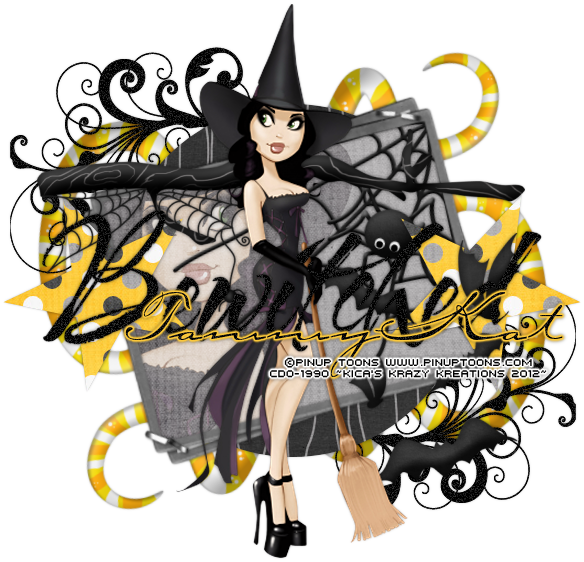
This tutorial was written by Kaci on October 22, 2012. Any resemblance to any other tutorials is purely coincidental! You may not copy/paste any part of my tuts elsewhere, but you may text link to them for challenges etc!
Supplies Needed:
Temp 95 by Kristin, you can find it HERE
Tube or image of choice, I am using a tube by Pinup Toons and you must have permission to use them, you can find out more HERE
Scrapkit of choice, I am using a great kit by TammyKat called October Bonus Freebie Inspired by Concetta Kilmer, which you can find it HERE and it's FREE!!! Scroll to the bottom of the post for the download link :)
Let's Begin!
Open your template
Hit shift d and close the original
Delete credits, face, bats, and background
Go to Image, Canvas Size, and change to 700x700 centered
Apply noise of choice to your doodles and wordart
Select circle
Select all, float, and defloat
Paste paper1 as a new layer
Invert your selection and hit delete
Select non
Delete circle
Select stars
Select all, float, and defloat
Paste paper2 as a new layer
Invert your selection and hit delete
Select non
Delete stars
Add your tube of choice
Resize as desired
Add any elements you like
Resize and position
Add any dropshadows you like
Crop and resize as desired
Add your name and copyright
Resize as desired
Save!
Thanks for trying my tut!
Supplies Needed:
Temp 95 by Kristin, you can find it HERE
Tube or image of choice, I am using a tube by Pinup Toons and you must have permission to use them, you can find out more HERE
Scrapkit of choice, I am using a great kit by TammyKat called October Bonus Freebie Inspired by Concetta Kilmer, which you can find it HERE and it's FREE!!! Scroll to the bottom of the post for the download link :)
Let's Begin!
Open your template
Hit shift d and close the original
Delete credits, face, bats, and background
Go to Image, Canvas Size, and change to 700x700 centered
Apply noise of choice to your doodles and wordart
Select circle
Select all, float, and defloat
Paste paper1 as a new layer
Invert your selection and hit delete
Select non
Delete circle
Select stars
Select all, float, and defloat
Paste paper2 as a new layer
Invert your selection and hit delete
Select non
Delete stars
Add your tube of choice
Resize as desired
Add any elements you like
Resize and position
Add any dropshadows you like
Crop and resize as desired
Add your name and copyright
Resize as desired
Save!
Thanks for trying my tut!
Tuesday, September 18, 2012
Who Gives A Hoot

This tutorial was written by Kaci on September 18, 2012. Any resemblance to any other tutorials is purely coincidental! You may not copy/paste any part of my tuts elsewhere, but you may text link to them for challenges etc!
Supplies Needed:
Template 47 by Millie, you can find it HERE
Tube or image of choice, I am using a tube by Pinup Toons and you must have permission to use them, you can find out more HERE
Scrapkit of choice, I am using a great kit by Sarah's Tags n Things called Who Gives A Hoot, which you can find it HERE
Let's Begin!
Open your template
Hit shift d and close the original
Delete cr, 11, 10, and background
Select 1
Select all, float, and defloat
Paste paper2 as a new layer
Invert your selection and hit delete
Select none
Delete 1
Select 2
Select all, float, and defloat
Paste paper6 as a new layer
Invert your selection and hit delete
Select none
Delete 2
Select 3
Select all, float, and defloat
Paste paper10 as a new layer
Invert your selection and hit delete
Select none
Delete 3
Select 4
Select all, float, and defloat
Paste paper5 as a new layer
Invert your selection and hit delete
Select none
Delete 4
Select 5
Select all, float, and defloat
Paste paper9 as a new layer
Invert your selection and hit delete
Select none
Delete 5
Select 6
Select all, float, and defloat
Paste paper1 as a new layer
Invert your selection and hit delete
Select none
Delete 6
Select 7
Select all, float, and defloat
Paste paper4 as a new layer
Invert your selection and hit delete
Select none
Delete 7
Select 8
Select all, float, and defloat
Paste paper5 as a new layer
Invert your selection and hit delete
Select none
Delete 8
Select 9
Select all, float, and defloat
Paste paper7 as a new layer
Invert your selection and hit delete
Select none
Delete 9
Add your tube of choice
Resize as desired
Duplicate your tube
On your dupe layer, change your blend mode to overlay and lower the opacity to around 50 or so
Add any elements you like
Resize and position
Add any dropshadows you like
Crop and resize as desired
Add your name and copyright
Resize as desired
Save!
Thanks for trying my tut!
Subscribe to:
Posts (Atom)